WhatsApp AI Voice Bot: One Brain for Chat and Calls
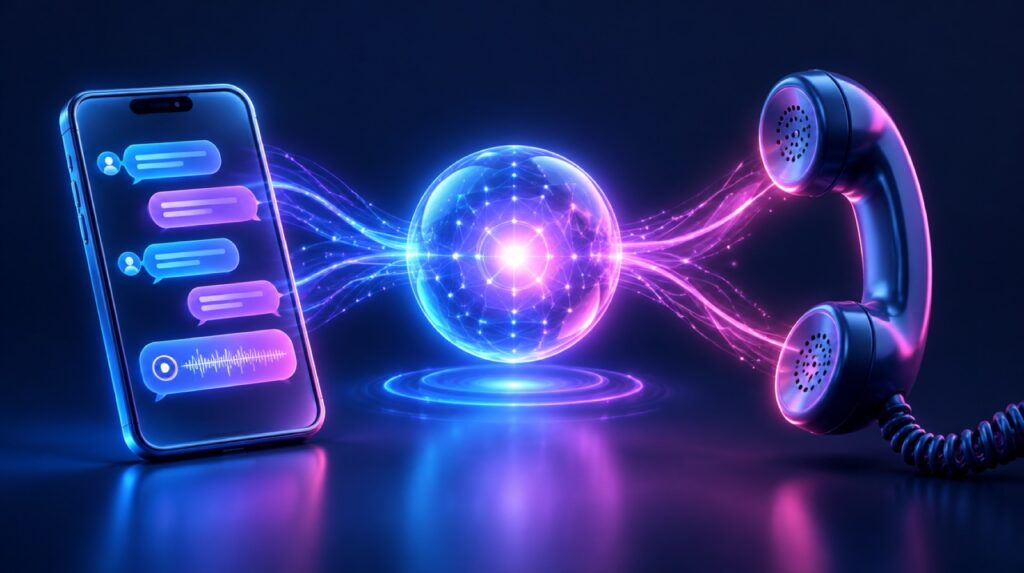
Your customers already talk to you in two places: they WhatsApp you, and they phone you. Most Indian businesses answer those two channels with two different tools, two different scripts and two sets of answers that slowly drift apart. A WhatsApp AI voice bot setup fixes that by putting one AI brain behind both the chat window and the phone line, so a customer gets the same price, the same policy and the same booking slot whether they type, send a voice note or call.
This guide explains what people actually mean by a “WhatsApp call bot”, what is and is not possible with WhatsApp today, and how to design a single assistant that handles WhatsApp chat and phone calls without duplicating work.
What people mean by “WhatsApp AI voice bot”
The phrase covers three quite different things. Be clear which one you need before you talk to any vendor.
- A WhatsApp chatbot that understands voice notes. The customer records a voice message in Hindi or Tamil, the bot converts it to text, answers it, and replies in text or audio. This is the most common need in India, because many people prefer speaking to typing.
- A bot that answers WhatsApp calls. The customer taps the call button inside a business chat and an AI agent picks up. This depends on Meta’s WhatsApp Business Calling API, which Meta has been rolling out in phases. Availability, regions and per-minute pricing vary, so confirm the current status with Meta or your Business Solution Provider (BSP) before you plan around it.
- One assistant across WhatsApp chat and normal phone calls. The same AI that replies on WhatsApp also answers your regular business number through a SIP trunk or PBX. For most businesses this is the most practical “whatsapp ai voice bot” today, because phone calls still carry most of the urgent and high-value conversations.
Why one brain for chat and calls matters
When chat and voice run on separate systems, small differences pile up. The chatbot quotes last month’s fee. The IVR does not know about the new branch. A customer books on WhatsApp, then calls to confirm, and the phone bot has no record of it.
A shared brain avoids this. You keep one system prompt, one set of tools (book appointment, look up order, create lead), one knowledge base and one place to read transcripts. The only thing that changes per channel is the “edge”: text comes in from WhatsApp, audio comes in from the phone line.
| Concern | Separate chatbot + IVR | One brain, two channels |
|---|---|---|
| Prompt and policy updates | Edit two systems, hope they match | Edit once |
| Knowledge base | Duplicated FAQs | One set of documents |
| Booking and lookup tools | Built twice | Built once, used by both |
| Transcripts and analytics | Two dashboards | One conversation log |
| Customer identity | Hard to link | Phone number as the common key |
In India, the phone number is a natural shared key. The WhatsApp sender ID and the caller ID are usually the same number, so your bot can recognise a returning customer on either channel.
How a combined WhatsApp and voice setup works
Here is the architecture in plain terms. It is the same pattern whether you use VEXYL or assemble it yourself.
The WhatsApp side (text and voice notes)
- You connect a WhatsApp Business number through Meta’s Cloud API directly or through a BSP.
- Your small integration service receives each incoming message as a webhook.
- For text, it forwards the message to the AI brain with the sender’s phone number as the user ID and gets a reply back.
- For a voice note, it first downloads the audio, runs it through a speech-to-text engine, then forwards the transcript the same way.
- It sends the reply back through the WhatsApp API, as text or as a generated audio clip.
The phone side (calls)
- Calls arrive on your existing number through a SIP trunk, Asterisk or an IP-PBX.
- A voice gateway handles streaming speech-to-text, turn-taking and text-to-speech.
- Each caller turn is sent, as text, to the same AI brain, with the caller ID as the user ID.
- If the caller asks for a person, the call is transferred to a human extension.
The brain does not care which channel a message came from. It sees a user ID, a message and the session history, then decides whether to answer, search the knowledge base or call a tool.
Designing the conversation for both channels
One brain does not mean one identical script. Voice and chat behave differently, and your prompt should account for it.
Keep voice replies short
On WhatsApp, a customer can scroll a five-line answer with a bulleted price list. On a call, five lines feel like a lecture. Tell the bot to answer in one or two sentences on voice and offer to send details on WhatsApp instead.
Use channel context
Pass a small context field such as channel: "whatsapp" or channel: "phone" with every message. The prompt can then say: “If the channel is phone, never read out URLs; offer to send them on WhatsApp.”
Plan for language switching
Indian customers mix languages freely. A caller may start in English and move to Malayalam mid-sentence. Pick speech-to-text and text-to-speech providers that handle your languages well, and instruct the model to reply in the language the customer last used. Our guide to a Hindi voice bot covers the practical side of this.
Hand off cleanly
Decide in advance when the bot should stop. On WhatsApp that might mean creating a ticket and telling the customer a team member will reply. On a call, it means a warm transfer to a person, with the conversation summary already logged.
Data protection: WhatsApp messages are personal data
Every WhatsApp message and call transcript you process contains personal data: a phone number at minimum, often a name, address or health detail. Under India’s Digital Personal Data Protection Act 2023 and the DPDP Rules notified in November 2025, you are responsible for collecting it for a clear purpose, keeping it safe and deleting it when that purpose ends. Most of the Rules’ obligations phase in by around May 2027.
Where your AI brain runs matters here. If transcripts, recordings and the knowledge base stay on servers you control, it is easier to answer the questions a data protection review will ask. We cover this in more depth in DPDP Act and AI voice agents. This is general information, not legal advice.
A practical rollout plan
- Start with your top ten questions. Pull them from WhatsApp chats and call notes. Write clear answers and put them in a knowledge base.
- Launch on WhatsApp text first. Text is easier to test and easier to correct. Read every transcript for the first two weeks.
- Add voice notes. Plug speech-to-text into your WhatsApp integration and test with real accents and background noise.
- Add the phone line. Route after-hours or overflow calls to the same bot through your SIP trunk or PBX.
- Add tools one at a time. Booking, order lookup, lead capture. Each tool should have one clear job.
- Review cost per conversation. Chat turns cost LLM tokens; calls add speech-to-text and text-to-speech minutes.
How VEXYL fits
VEXYL gives you the two halves of this design and lets you own the WhatsApp connection yourself.
- LiteBot is the shared brain. It runs many bots from one server. Each bot has a system prompt, a choice of LLM (Groq, OpenRouter, OpenAI, Gemini, Sarvam or local Ollama), tools such as appointment booking and webhooks, and an optional knowledge base. Your WhatsApp integration calls its chat API once per incoming message, using the customer’s phone number as the user ID. The LiteBot documentation notes one practical detail: a WhatsApp connector sends all traffic from one IP, so you raise the API rate limit to cover its peak.
- The VEXYL Voice Gateway is the phone edge. It connects SIP trunks, Asterisk, FreePBX and IP-PBX systems to the same LiteBot bot, handling speech-to-text and text-to-speech with providers like Sarvam, Google, Deepgram or the self-hosted VEXYL-STT.
- One conversation log. LiteBot’s dashboard stores chat and voice conversations, tool results, leads, tickets and cost per turn in one place.
To be clear about limits: VEXYL does not ship a native WhatsApp Business integration, and it does not answer WhatsApp voice calls. You connect WhatsApp through your own Cloud API or BSP integration, which keeps you free to choose your provider. If you already automate with n8n, the same pattern works there; see our n8n voice agent workflow guide.
FAQ
Can an AI bot answer WhatsApp voice calls?
It depends on Meta’s WhatsApp Business Calling API, which has been rolling out in phases with different availability by region and call direction. Check Meta’s current documentation or ask your BSP. Many businesses instead let the bot handle WhatsApp chat and voice notes, and answer regular phone calls with the same AI.
Can a WhatsApp bot understand voice notes in Indian languages?
Yes, if your integration passes the audio through a speech-to-text engine that supports the language. Several providers cover Hindi, Tamil, Malayalam and other Indian languages. Test with real customer recordings, not studio audio.
Do I need two separate bots for chat and calls?
No. One bot with a channel-aware prompt usually works better. Keep voice replies short, avoid reading links aloud, and share the same tools and knowledge base.
What does a WhatsApp bot integration cost?
You pay Meta’s WhatsApp conversation charges (directly or through a BSP), LLM usage per message and, for calls, speech and telephony minutes. Check Meta’s and your BSP’s current pricing pages, as they change.
Is it safe to store WhatsApp chats for AI training or analytics?
Only for purposes you have told the customer about, with proper security and a deletion plan. Self-hosting the AI brain keeps transcripts on your own servers, which simplifies that work.
Want one assistant for WhatsApp chat and your phone line? Try the free Developer edition of the gateway, or talk to our team about connecting LiteBot to your WhatsApp integration and PBX.