What Is AI Calling? How AI Calling Agents Work (2026 Guide)
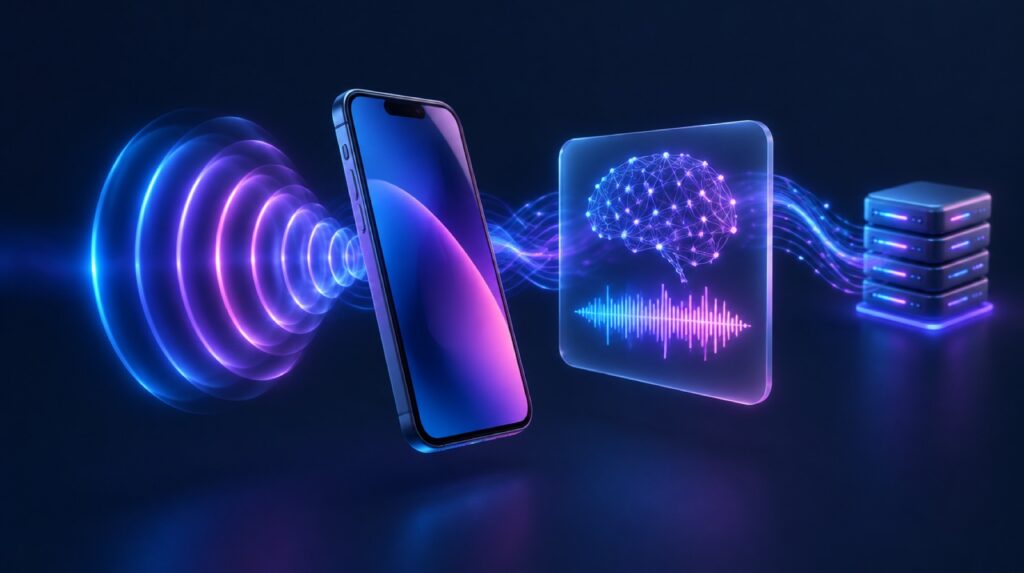
If you have searched what is AI calling, you have probably seen the term used for everything from robocalls to chatbots that read a script. The real meaning is narrower and more useful. AI calling is when a software agent holds an actual phone conversation with a person: it listens to what they say, works out what they mean, decides what to do, and answers in a natural voice, all within a second or two.
This guide explains how an AI calling agent works under the hood, how it differs from an IVR menu or a human telecaller, what it is good at, where it still struggles, and what matters if you plan to use one in India.
What is AI calling?
AI calling is the use of speech recognition, a large language model (LLM) and speech synthesis to run a two-way voice conversation over a normal phone line. The caller does not press keys or follow a fixed menu. They speak the way they would to a person, and the agent responds to what they actually said.
There are two directions:
- Inbound AI calling: the agent answers calls to your number. It can take bookings, answer common questions, collect details and transfer the caller to a person when needed.
- Outbound AI calling: the agent places calls from a list or when your system triggers it. Typical uses are reminders, confirmations, follow-ups, surveys and lead qualification.
You will also see the terms AI calling agent, AI phone call agent and AI voice agent. They mean roughly the same thing: one configured agent with a prompt, a voice, a language and a set of actions it is allowed to take.
How AI calling works, step by step
Most production AI calling agents follow the same pipeline. Understanding it helps you judge any vendor, because almost every quality or cost problem traces back to one of these steps.
- The call reaches the system. A phone call arrives over a SIP trunk from a telecom operator, through your existing PBX (Asterisk, FreePBX, Avaya and others), or from a browser widget. A voice gateway sits here and turns the call audio into a stream the AI can use.
- Speech-to-text (STT). The caller’s audio is converted into text. Streaming recognisers transcribe while the person is still talking; batch recognisers wait until they stop. Phone audio is narrowband (8 kHz), so a model that does well on studio recordings can still stumble on a noisy mobile call.
- The brain. The transcript goes to an LLM along with a system prompt (“You are the front desk for a dental clinic in Kochi…”), the conversation so far and details about the caller. The brain decides what to say next and whether to call a tool, such as checking a slot or booking an appointment.
- Text-to-speech (TTS). The reply text is turned back into audio in the chosen voice and language, and streamed to the caller.
- Turn-taking. This is the part people underestimate. The system has to detect when the caller has finished speaking, let them interrupt the bot (barge-in), ignore echo and background noise, and fill short silences while the brain thinks.
- Ending or handing off. The call ends, or the agent transfers to a human. Afterwards, a transcript, outcome and cost record are sent to your systems through webhooks.
Pipeline mode vs realtime speech-to-speech
The steps above describe the pipeline approach: separate STT, LLM and TTS services. Its strength is control. You can choose the best recogniser for Malayalam, the cheapest LLM that handles your task, and a voice your customers like.
The alternative is realtime speech-to-speech, where a single model such as Gemini Live takes audio in and produces audio out. It can feel more fluid, but you give up some control over each part, and per-minute cost is usually higher. Many teams use pipeline mode for most calls and test realtime for specific use cases.
AI calling vs IVR, robocalls and human telecallers
AI calling is often confused with older automation. Here is how they compare.
| Approach | How the caller interacts | Handles unexpected questions? | Typical use |
|---|---|---|---|
| Traditional IVR | Presses keys through a fixed menu | No | Routing calls to departments |
| Robocall / voice broadcast | Listens to a recorded message | No, it is one-way | Announcements |
| AI calling agent | Speaks naturally, can interrupt | Yes, within the scope you give it | Bookings, reminders, FAQs, qualification, follow-ups |
| Human telecaller | Normal conversation | Yes, with judgement | Complex, sensitive or high-value calls |
The practical takeaway: AI calling does not replace your team for difficult conversations. It takes the repetitive, high-volume calls so people can spend time where judgement matters.
What AI calling agents are good at
AI calling works best when the conversation has a clear goal and a limited set of outcomes. Good fits include:
- Appointment booking, rescheduling and reminders
- Order, delivery or application status questions
- Payment and renewal reminders
- Collecting structured details (name, location, requirement) before a human calls back
- After-hours answering so no call goes unanswered
- Short feedback surveys after a visit or purchase
It struggles with conversations that need real authority (approving a refund outside policy), emotional handling (a bereaved family member), or facts the agent has not been given. The fix is not a bigger model. It is a narrow scope, good knowledge base content and a clear path to a person.
What makes AI calling different in India
A demo in American English is not proof that an agent will work on a call from Thrissur or Lucknow. In India, a few things matter more than anywhere else.
Languages and code-mixing
Callers switch between Hindi and English, or Malayalam and English, inside one sentence. You need a recogniser trained on Indian languages and Indian-accented English, and a voice that sounds natural in the caller’s language. Test with real recordings from your own callers before you commit.
Telecom rules for outbound calls
If you place outbound calls, telecom regulation applies. As of July 2026, TRAI has clarified that promotional calls from any sector must use the 140 series, which customers can block through the Do Not Disturb (DND) registry, while BFSI entities and government bodies must use the 1600 series for service and transaction calls (TRAI press release 91/2026). Check with your telecom provider which series and registrations apply to your calls.
Data protection
Call audio and transcripts contain personal data, so the Digital Personal Data Protection (DPDP) Act 2023 and its Rules apply to how you collect, store and share them. Where your AI provider processes and stores that data is a real design decision, not a footnote.
Latency on Indian networks
Every hop to a server overseas adds delay. A pause of a second or more before each answer makes callers talk over the bot. Our post on voice AI latency claims versus production reality covers what to measure.
What does AI calling cost?
The cost of an AI call is the sum of its parts: speech recognition, the LLM, speech synthesis, telephony minutes and any platform fee. Some vendors bundle all of these into one per-minute rate; others let you bring your own provider keys and pay each provider directly.
For a real reference point, a live hospital deployment in India in February 2026 handled 156 calls for ₹205.88 in total, which works out to ₹0.83 per minute of AI call time. The full breakdown is in our post on voice AI cost in India from a live deployment. Your own number will depend on call length, how much the bot talks, which providers you choose and your telephony contract.
How to get started with AI calling
You do not need a large project to learn whether AI calling works for you. A sensible first pilot looks like this:
- Pick one call type with a clear outcome, such as appointment reminders.
- Write down the five or six things callers usually say, and what the agent should do for each.
- Decide how a call reaches a human when the agent cannot help.
- Connect a test number and make calls yourself in every language you need.
- Run it on a small share of live calls, read the transcripts, and fix the prompt and knowledge base weekly.
How VEXYL fits
VEXYL builds the parts described above for Indian businesses. VEXYL Studio is where you build and deploy voice and chat agents that make calls, receive calls and handle text chat. Underneath it, the VEXYL Voice Gateway connects your SIP trunk, Asterisk, FreePBX or IP-PBX to the AI, and lets you pick the speech providers: Sarvam, Google, Deepgram, Groq, Gemini or the self-hosted VEXYL-STT for recognition, and Sarvam, Google, Gemini, ElevenLabs, Smallest AI, Deepgram or Azure for voices.
You can run it on your own servers, so call audio and transcripts stay inside your network, or use VEXYL Cloud if you prefer not to manage infrastructure. If you want to see how the telephony side connects in detail, the gateway documentation walks through each option. A live demo agent is available at ai.vexyl.info.
FAQ
Is AI calling the same as a robocall?
No. A robocall plays a recorded message and does not listen. An AI calling agent listens, understands the reply and responds to it, so the caller can ask questions, interrupt or change the topic.
Can an AI calling agent speak Indian languages?
Yes, if it uses speech providers that support them. Quality varies by language and provider, so test with recordings from your own callers rather than relying on a demo.
Will callers know they are talking to AI?
They should. It is good practice, and increasingly expected, to tell callers at the start that they are speaking with an automated assistant and to offer a way to reach a person.
Do I need to replace my phone system to use AI calling?
Usually not. A voice gateway can connect to an existing SIP trunk or PBX, so the AI agent becomes another destination your calls can be routed to.
How long does it take to set up an AI calling agent?
A basic agent on a test number can be running in a day. Getting it ready for real customers takes longer, mostly because you need to write good instructions, add your business information and test with real calls.
Want to try AI calling on your own number? Start with the free self-hosted Developer edition on the pricing page, or talk to us about VEXYL Cloud.