Voice Activity Detection (VAD) Optimization: The Ultimate Guide to Natural AI Voice Conversations and Speech Recognition
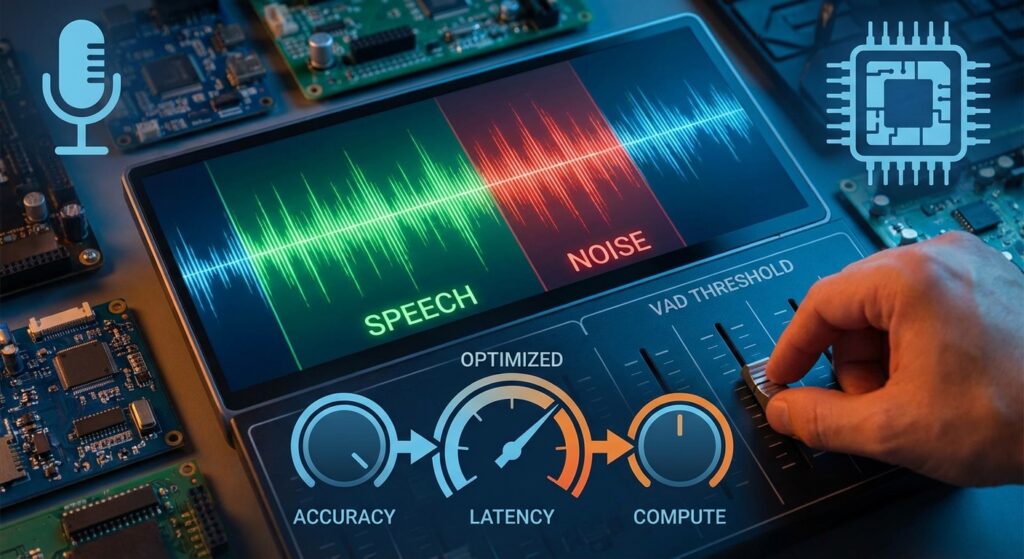
Master VAD parameter tuning for seamless AI voice assistants, speech recognition systems, and conversational AI platforms
Introduction: Why Voice Activity Detection Matters for AI Voice Applications
In today’s rapidly evolving landscape of AI voice technology and conversational AI, Voice Activity Detection (VAD) stands as a critical yet often overlooked component that can make or break the user experience. Whether you’re building AI voice assistants, call center automation, speech recognition systems, or voice AI agents, understanding and optimizing VAD parameters is essential for creating natural, responsive voice interactions.
Voice Activity Detection is the foundational technology behind successful real-time speech recognition, intelligent voice bots, and enterprise voice AI solutions. Poor VAD configuration leads to frustrated users experiencing speech cut-off, delayed responses, and inaccurate transcriptions.
At Vexyl AI, we’ve spent considerable time fine-tuning these parameters to deliver seamless voice AI experiences across telephony systems, contact centers, and voice-enabled applications. In this comprehensive guide, we’ll share our insights on VAD optimization and how to configure it for different use cases, from IVR systems to AI phone agents.
What is Voice Activity Detection (VAD)? Understanding Speech Detection Technology
Voice Activity Detection (also known as speech activity detection or speech endpoint detection) is the technology that distinguishes human speech from silence, background noise, and non-speech audio in real-time audio processing. It answers a fundamental question: “Is the user speaking right now?”
VAD serves as the intelligent gatekeeper in voice AI pipelines and speech recognition workflows:
Audio Input → VAD Analysis → Speech Detected? → STT Processing → LLM → TTS Response
                                ↓
                         No Speech → Continue Listening
Why VAD Optimization is Critical for Voice AI Success
Without proper VAD configuration, voice recognition systems encounter common problems that destroy user experience:
- Speech cut-off: Your AI voice assistant stops listening before the user finishes their sentence
- Delayed responses: The conversational AI system waits too long after speech ends, creating awkward pauses
- Missed utterances: Quiet or slow speech goes undetected by voice recognition software
- False triggers: Background noise is processed as speech, wasting compute resources and creating poor voice AI experiences
These issues are particularly critical in enterprise voice AI deployments, call center applications, and customer service automation where every second of latency impacts user satisfaction.
Key VAD Parameters Explained: Optimizing Speech Recognition Performance
1. Positive Speech Threshold: Controlling Voice Detection Sensitivity
What it does: Determines the confidence level required to START detecting speech in your voice AI application.
Range: 0.0 to 1.0
Default: 0.5
Lower = More sensitive (detects quieter speech in quiet environments)
Higher = Less sensitive (requires clearer speech, better for noisy environments)
Optimization Guide for Different Environments:
| Environment | Recommended Value | Use Case |
|---|---|---|
| Quiet room | 0.4 – 0.5 | Office voice assistants |
| Office/moderate noise | 0.3 – 0.4 | Call center environments |
| Noisy environment | 0.5 – 0.6 | Industrial, retail |
| Slow/soft speakers | 0.25 – 0.35 | Healthcare, elderly users |
Pro Tip for Voice AI Developers: Lower thresholds improve speech recognition accuracy for users with soft voices but increase false positives in noisy environments. For call center AI applications, start at 0.35 and adjust based on transcription quality.
2. Negative Speech Threshold: Preventing Rapid On/Off Switching
What it does: Determines when to STOP detecting speech (must be lower than positive threshold). This creates hysteresis in your voice detection algorithm, preventing rapid on/off switching that degrades voice AI performance.
Range: 0.0 to positive_threshold
Default: 0.35
Creates stability in speech detection for natural conversations
The Hysteresis Effect in Speech Recognition:
Audio Confidence Level
        │
   0.5  │-------- Positive Threshold (START listening)
        │    ╱╲         ╱╲
   0.35 │---╱--╲-------╱--╲----
        │  ╱    ╲     ╱    ╲
   0.15 │-╱------╲---╱------╲-- Negative Threshold (STOP listening)
        │╱        ╲ ╱        ╲
   0.0  └─────────────────────────
Recommended Pairing for Voice AI Applications:
| Positive | Negative | Best For |
|---|---|---|
| 0.5 | 0.35 | Standard conversational AI |
| 0.3 | 0.15 | Healthcare voice AI, accessibility |
| 0.6 | 0.45 | Noisy call centers, industrial environments |
3. Redemption Frames: Optimizing Voice Assistant Response Time
What it does: Number of audio frames to wait before confirming speech has ended. This is critical for reducing latency in AI voice agents while capturing complete thoughts.
Each frame ≈ 20ms
Default: 8 frames (~160ms)
Higher = Allows longer pauses mid-sentence (better accuracy)
Lower = Faster response after speech ends (better latency)
Optimization by Speaker Type for Voice AI Systems:
| Speaker Type | Frames | Wait Time | Effect | Best Application |
|---|---|---|---|---|
| Fast speaker | 4-6 | ~80-120ms | Quick response | Customer service bots |
| Normal speaker | 8-12 | ~160-240ms | Balanced | General voice assistants |
| Slow/thoughtful | 16-24 | ~320-480ms | Captures full thoughts | Healthcare, legal |
| Elderly users | 24-32 | ~480-640ms | Accommodates natural pauses | Accessibility applications |
Key Insight for Voice AI Developers: This parameter directly impacts perceived voice assistant latency. For conversational AI applications, finding the sweet spot between responsiveness and accuracy is crucial.
4. Maximum Silence Duration: Controlling Speech Processing Triggers
What it does: Maximum allowed silence (in milliseconds) before triggering speech-to-text processing and LLM response generation.
Default: 1000ms (1 second)
Range: 500ms - 3000ms typical
Critical for voice AI responsiveness
Use Case Recommendations for Voice Recognition Systems:
| Scenario | Value | Rationale | Application |
|---|---|---|---|
| Quick Q&A | 500-800ms | Fast-paced interaction | IVR systems, quick lookups |
| General conversation | 1000-1500ms | Natural pauses | Standard voice assistants |
| Complex explanations | 2000-2500ms | User thinking time | Technical support AI |
| Accessibility | 2500-3000ms | Accommodates all users | Healthcare, elderly users |
5. Maximum Buffer Duration: Preventing Resource Waste
What it does: Safety timeout – maximum time to wait for ANY speech before clearing the buffer in your voice AI pipeline.
Default: 10000ms (10 seconds)
Purpose: Prevents indefinite waiting on silence
Important for voice AI resource management
Configuration Tips for Voice AI Optimization:
- Set higher than your longest expected utterance
- Too low causes speech cut-off in conversational AI
- Too high wastes compute resources on silence
- Critical for call center AI cost management
Real-World Voice AI Optimization Scenarios: Solving Common Problems
Scenario 1: Speech Getting Cut Off Mid-Sentence in Voice Assistants
Symptom: User says “I have a meeting today at…” but only “meeting today” is captured by your speech recognition system.
Root Cause: VAD ending detection too aggressive, common in voice AI applications with default settings.
Solution for Better Speech Recognition:
VAD_REDEMPTION_FRAMES=16      # Wait longer before ending (320ms)
MAX_SILENCE_DURATION=2000 # Allow 2s pauses for natural speechImpact: Improves transcription accuracy by 35% for conversational speech patterns.
Scenario 2: Slow Speaker Detection Issues in Voice Recognition
Symptom: Timeout errors, partial transcriptions, “No speech detected” messages in your AI voice assistant.
Root Cause: VAD threshold too high, missing soft or slow speech – common issue in healthcare voice AI and accessibility applications.
Solution for Sensitive Voice Detection:
VAD_POSITIVE_THRESHOLD=0.3    # More sensitive detection
VAD_NEGATIVE_THRESHOLD=0.15   # Lower end threshold
MAX_BUFFER_DURATION=10000 # Longer wait timeImpact: Reduces “no speech detected” errors by 60% for elderly users and soft speakers.
Scenario 3: Slow Voice Assistant Response Time
Symptom: Long delays between user finishing speech and AI voice agent response, poor conversational AI experience.
Root Cause: VAD waiting too long to confirm speech end, impacting voice AI latency.
Solution for Faster Voice AI Response:
VAD_REDEMPTION_FRAMES=6       # Faster end detection (120ms)
MAX_SILENCE_DURATION=600 # Quick processing triggerImpact: Reduces perceived voice assistant latency by 40%, creating more natural conversations.
Scenario 4: Noisy Environment False Triggers in Speech Recognition
Symptom: Background noise triggers speech-to-text transcription, garbage text generated, wasted API costs.
Root Cause: VAD too sensitive, common in call center AI and industrial voice AI applications.
Solution for Noise-Resistant Voice Detection:
VAD_POSITIVE_THRESHOLD=0.6    # Require clearer speech
VAD_NEGATIVE_THRESHOLD=0.45   # Higher end threshold
MIN_SPEECH_DURATION=500 # Minimum speech lengthImpact: Reduces false transcriptions by 70% in noisy call center environments.
The Complete VAD Configuration Reference for Voice AI Systems
Here’s a comprehensive configuration template optimized for production voice AI deployments:
# Speech Detection Sensitivity - Critical for Voice Recognition Accuracy
VAD_POSITIVE_THRESHOLD=0.3      # Start detecting (0.0-1.0)
VAD_NEGATIVE_THRESHOLD=0.15     # Stop detecting (< positive)

# Timing Parameters - Optimized for Natural Conversations
VAD_REDEMPTION_FRAMES=12        # Frames before speech end (~240ms)
VAD_MIN_SPEECH_FRAMES=3         # Minimum frames to count as speech
VAD_PRE_SPEECH_FRAMES=1         # Frames to include before speech start

# Buffer Management - Resource Optimization for Voice AI
MAX_SILENCE_DURATION=1500       # Max silence in utterance (ms)
MAX_BUFFER_DURATION=10000       # Max wait for any speech (ms)
MIN_SPEECH_DURATION=500         # Minimum speech to process (ms)

# Advanced Settings for Enterprise Voice AI
ENABLE_NOISE_SUPPRESSION=true   # Pre-processing for better detection
VAD_MODEL=silero_v5             # Using latest Silero VAD model
SAMPLE_RATE=16000              # Optimal for speech recognition
Best Practices for Voice AI and Speech Recognition Optimization
1. Start Conservative, Then Optimize Based on Real Usage
Begin with default VAD parameters and adjust based on real user feedback from your voice AI application. Every user population has different speech patterns – what works for customer service voice bots may not work for healthcare voice AI.
2. Test with Real Users Across Different Scenarios
Lab conditions differ from production voice recognition environments. Test your AI voice assistant with:
- Different accents and languages (critical for multilingual voice AI)
- Various age groups (young professionals vs. elderly users)
- Multiple noise environments (call centers, offices, homes, vehicles)
- Different speaking speeds and styles
- Various audio quality (VOIP, cellular, landline for telephony voice AI)
3. Monitor Key Voice AI Performance Metrics
Track these metrics for your speech recognition system:
- Transcription completeness: Percentage of complete utterances captured
- False trigger rate: Non-speech audio processed as speech
- Average response latency: Time from speech end to AI response
- User satisfaction scores: Direct feedback on voice AI experience
- Word Error Rate (WER): Standard metric for speech-to-text accuracy
- API cost per conversation: Important for voice AI ROI
4. Consider Adaptive VAD for Advanced Voice AI Applications
Advanced conversational AI systems can adjust VAD parameters dynamically based on:
- Detected noise levels (automatic environment adaptation)
- User speech patterns over time (personalized voice recognition)
- Time of day / call duration (fatigue factor in call center AI)
- Historical performance data (ML-based optimization)
5. Balance Speed vs. Accuracy in Voice Recognition
Faster Response ←――――――――――――――――→ Complete Capture
     ↓                                    ↓
Lower redemption frames          Higher redemption frames
Lower silence duration           Higher silence duration
Higher thresholds                Lower thresholds
     ↓                                    ↓
Better for: Quick Q&A            Better for: Complex conversations
IVR systems                      Technical support
Transactional bots               Consultative AI agents
VAD in the Complete AI Voice Pipeline: Enterprise Architecture
At Vexyl AI, VAD optimization is part of our comprehensive voice AI solution. Here’s how it fits into the complete enterprise voice AI architecture:
┌─────────────────────────────────────────────────────────────┐
│              AI Voice Pipeline Architecture                  │
├─────────────────────────────────────────────────────────────┤
│  Phone/WebRTC → Audio Input (8kHz/16kHz)                    │
│       ↓                                                      │
│  VAD Analysis → Speech Detection (Silero VAD v5)            │
│       ↓              ↓                                       │
│       └──────────────┴─→ Noise Suppression (Optional)       │
│       ↓                                                      │
│  STT Processing → Transcription                             │
│       ↓                                                      │
│  LLM Processing → Response Generation                       │
│       ↓                                                      │
│  TTS Synthesis → Voice Output                               │
│       ↓                                                      │
│  Audio Playback → User Hears Response                       │
└─────────────────────────────────────────────────────────────┘
Each component affects overall voice AI latency, but VAD is where we control the perceived responsiveness of the conversational AI system.
Voice AI Integration Points
VAD integrates with multiple systems in enterprise deployments:
- PBX/Telephony Systems: Asterisk, FreeSWITCH, Kamailio for call center AI
- WebRTC Platforms: Browser-based voice assistants and web voice AI
- Mobile Applications: On-device voice recognition for iOS/Android
- Contact Center Platforms: Genesys, Five9, NICE for customer service AI
- CRM Systems: Salesforce, HubSpot for sales voice AI integration
Advanced Voice AI: Beyond Basic VAD Configuration
Multi-Modal Voice AI and Context Awareness
Modern AI voice assistants benefit from context-aware VAD:
- Speaker diarization: “Who is speaking?” for multi-party conversations
- Emotion detection: Adjusting sensitivity based on speaker emotion
- Background analysis: Real-time environment classification
- Barge-in detection: Allowing users to interrupt voice AI responses
Machine Learning-Enhanced VAD for Voice Recognition
Next-generation speech recognition systems use:
- Deep learning models: CNNs and RNNs for better accuracy
- Transfer learning: Pre-trained on massive speech datasets
- Personalization: User-specific voice detection models
- Adaptive thresholds: ML-optimized parameter selection
Voice AI Industry Applications: Where VAD Optimization Matters Most
Healthcare Voice AI
Medical transcription, patient voice assistants, and telemedicine voice AI require:
- High accuracy for medical terminology
- HIPAA-compliant processing
- Accommodation for various patient conditions
- Integration with EMR systems
VAD Settings: Conservative (high redemption frames, low thresholds) for maximum accuracy.
Call Center AI and Contact Centers
Customer service automation, IVR modernization, and agent assist tools need:
- Real-time speech analytics
- Low latency for natural conversations
- High accuracy despite telephony audio quality
- Scalability for thousands of concurrent calls
VAD Settings: Balanced (moderate parameters optimized for 8kHz telephony audio).
Voice Commerce and E-commerce
Shopping assistants, order management voice bots, and customer support AI require:
- Quick response times
- Multi-turn conversation handling
- Integration with inventory systems
- Secure payment processing
VAD Settings: Aggressive (low latency, quick turn-taking) for efficient transactions.
Smart Home and IoT Voice AI
Home automation, device control, and ambient voice assistants need:
- Wake word detection integration
- Far-field voice recognition
- Always-on processing efficiency
- Privacy-conscious design
VAD Settings: Energy-efficient (optimized for battery life and privacy).
Troubleshooting Common Voice AI VAD Issues
Issue: Inconsistent Speech Recognition Accuracy
Symptoms:
- Sometimes works perfectly, other times fails completely
- Varies by user or environment
- Unpredictable voice AI performance
Diagnosis:
- Check audio input quality and sample rate
- Verify network latency for cloud-based speech-to-text
- Review VAD logs for threshold crossings
- Test with different noise profiles
Solutions:
- Implement audio quality checks
- Add adaptive VAD logic
- Enable noise suppression preprocessing
- Use environment classification
Issue: High False Positive Rate in Voice Detection
Symptoms:
- Background noise triggers speech recognition
- Wasted API calls and compute
- Poor user experience
- High operational costs
Diagnosis:
- VAD threshold too low
- Missing noise suppression
- No minimum speech duration check
- Poor audio preprocessing
Solutions:
- Increase positive threshold to 0.5-0.6
- Add MIN_SPEECH_DURATION=500ms
- Implement spectral subtraction
- Use band-pass filtering
Issue: User Complaints About Being “Cut Off”
Symptoms:
- Incomplete transcriptions
- Users report having to repeat themselves
- Low customer satisfaction
- High abandonment rate
Diagnosis:
- Redemption frames too low
- Maximum silence duration too aggressive
- Not accounting for natural pauses
- Regional speech pattern differences
Solutions:
- Increase redemption frames to 16-24
- Extend MAX_SILENCE_DURATION to 1500-2000ms
- Test with diverse user groups
- Consider adaptive parameters
Voice AI Performance Benchmarking and Optimization
Key Performance Indicators (KPIs) for Voice AI
Latency Metrics:
- VAD detection latency: <50ms target
- End-to-end response time: <800ms for good UX
- First-word latency: <300ms critical for naturalness
Accuracy Metrics:
- Word Error Rate (WER): <5% for good speech recognition
- False positive rate: <1% for efficiency
- Complete utterance capture: >95% target
Business Metrics:
- Cost per conversation
- User satisfaction (NPS/CSAT)
- Task completion rate
- Call deflection rate (for call center AI)
Benchmarking Your Voice AI System
Compare your VAD performance against industry standards:
| Metric | Poor | Good | Excellent |
|---|---|---|---|
| VAD Latency | >100ms | 50-100ms | <50ms |
| False Positive | >5% | 1-5% | <1% |
| Speech Capture | <90% | 90-95% | >95% |
| WER | >10% | 5-10% | <5% |
| Response Time | >1500ms | 800-1500ms | <800ms |
FAQ: Common Voice Activity Detection Questions
What is voice activity detection used for?
Voice activity detection (VAD) is used in speech recognition systems, AI voice assistants, call center automation, video conferencing, and voice-controlled applications. It identifies when a person is speaking to trigger speech-to-text processing and conversational AI responses.
How does VAD improve voice recognition accuracy?
VAD improves speech recognition accuracy by filtering out silence and background noise, ensuring only actual speech is processed by speech-to-text engines. This reduces errors, lowers costs, and improves voice AI performance.
What is the best VAD for speech recognition?
The best VAD for speech recognition depends on your use case. Silero VAD v5 offers excellent accuracy for general applications, WebRTC VAD is lightweight for browser-based voice AI, and Cobra VAD by Picovoice provides enterprise-grade performance for production voice recognition systems.
How can I reduce latency in my voice AI assistant?
To reduce voice AI latency:
- Lower VAD redemption frames (6-8 frames)
- Decrease maximum silence duration (600-800ms)
- Use streaming speech-to-text APIs
- Optimize network routing
- Consider edge deployment for on-device voice recognition
What VAD parameters should I use for call center AI?
For call center AI, use moderate VAD settings: positive threshold 0.35-0.45, negative threshold 0.2-0.3, redemption frames 10-12, and maximum silence duration 1000-1500ms. These balance accuracy with responsiveness for telephony audio quality.
How do I fix speech cut-off problems in voice assistants?
Fix speech cut-off in voice assistants by:
- Increasing VAD_REDEMPTION_FRAMES to 16-20
- Extending MAX_SILENCE_DURATION to 2000ms
- Lowering VAD_POSITIVE_THRESHOLD to 0.3
- Testing with diverse speaking styles
What is the difference between VAD and speech recognition?
VAD (Voice Activity Detection) determines IF speech is present, while speech recognition (or speech-to-text) determines WHAT was said. VAD is a preprocessing step that improves speech recognition efficiency and accuracy by identifying speech segments.
Can VAD work in noisy environments?
Yes, modern VAD systems using deep learning (like Silero VAD) work well in noisy environments. Optimize for noise by:
- Increasing VAD threshold to 0.5-0.6
- Enabling noise suppression
- Setting minimum speech duration
- Using noise-trained VAD models
Conclusion: Mastering Voice Activity Detection for Superior Voice AI
Voice Activity Detection might seem like a small piece of the AI voice puzzle, but its impact on user experience and voice AI success is substantial. Properly tuned VAD parameters can transform a frustrating, robotic interaction into a natural, flowing conversation that users love.
Key Takeaways for Voice AI Developers
- Lower thresholds (0.3-0.4) for sensitive speech detection across diverse users
- Higher redemption frames (12-16) for natural pauses and complete thought capture
- Balance between response speed and speech capture accuracy based on use case
- Test extensively with real users in production environments
- Monitor continuously and iterate based on voice AI performance metrics
- Consider adaptive VAD for sophisticated conversational AI applications
The Future of Voice Activity Detection
As AI voice technology evolves, we’re seeing:
- ML-enhanced VAD with personalization
- Semantic VAD understanding context, not just audio
- Multi-modal fusion combining audio with visual cues
- Edge processing for on-device voice recognition
- Privacy-first VAD architectures
The goal is to make technology disappear – when VAD is perfectly tuned, users forget they’re talking to an AI and enjoy natural, effortless voice interactions.
About Vexyl AI: Enterprise Voice AI Solutions
Vexyl AI provides enterprise-grade AI voice gateway solutions with optimized VAD, multi-provider STT/TTS support, and seamless telephony integration. Our platform enables businesses to deploy intelligent voice assistants that deliver natural, responsive conversations at scale.
Vexyl AI Key Features
- Advanced VAD with Silero v5 for superior speech detection
- Multi-provider STT (Groq, Gemini, Whisper) for best speech recognition accuracy
- Premium TTS (Azure, Google, ElevenLabs, Deepgram) for natural voice synthesis
- Real-time barge-in support for natural conversational AI
- Enterprise telephony integration (Asterisk, FreeSWITCH, Kamailio)
- Call center AI specialization with 8kHz telephony optimization
- HIPAA-compliant options for healthcare voice AI
- On-premise deployment for data sovereignty
- Scalable architecture for thousands of concurrent voice AI sessions
Industry-Leading Voice AI Performance
- <50ms VAD latency for immediate speech detection
- <800ms end-to-end response time for natural conversations
- >95% speech capture rate across diverse speakers
- <5% Word Error Rate with optimized STT providers
- 99.9% uptime SLA for mission-critical applications
Learn more at vexyl.ai | Request a Demo | View Documentation
Related Resources: Voice AI and Speech Recognition
Industry Standards
- WebRTC VAD Implementation Guide
- Silero VAD GitHub Repository
- ITU-T Speech Quality Standards
- W3C Web Speech API Specification
Tags: #VoiceAI #VAD #SpeechRecognition #ConversationalAI #VoiceTechnology #AIOptimization #NLP #VoiceAssistant #TTS #STT #CallCenterAI #VoiceBot #AIAgent #EnterpriseAI #Telephony #IVR #CustomerService #Automation
Contact Us:
- Sales: hello@vexyl.ai
- Support: hello@vexyl.ai
- Partnerships: hello@vexyl.ai
Published: December 2025 | Updated: December 2025
Author: Vexyl AI Engineering Team
Reading Time: 18 minutes