Custom LLM Integration Guide for Voice AI Systems
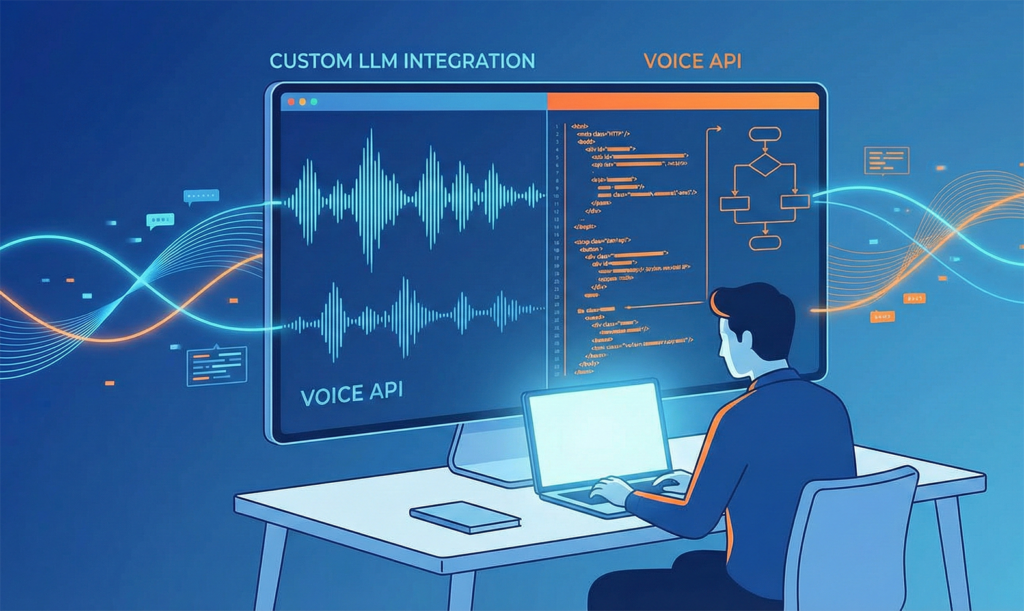
Integrating a custom LLM with your voice AI system doesn’t have to be complicated. Whether you’re running proprietary AI models, self-hosted LLMs, or want to connect OpenAI, Gemini, or Claude to your telephony infrastructure, custom LLM integration provides the flexibility you need. This comprehensive guide shows you exactly how to implement custom LLM integration with the VEXYL AI Voice Gateway, enabling you to connect any HTTP-based chat API to your voice system in minutes.
For enterprises requiring data sovereignty, regional language support, or specific AI capabilities, custom integration offers unmatched control. You can use your organisation’s fine-tuned models, maintain BYOK (Bring Your Own Keys) architecture, or switch between providers without vendor lock-in.
Complete technical documentation is available on GitHub for developers who want to dive deeper into implementation details.
What Is Custom LLM Integration for Voice AI?
Custom LLM integration allows you to connect any language model to your voice AI gateway through a simple HTTP endpoint. Instead of being locked into a single AI provider, you define a REST API that receives voice transcripts and returns AI-generated responses.
The VEXYL AI Voice Gateway acts as middleware between traditional telephony systems (like Asterisk PBX or SIP servers) and your custom AI endpoint. When someone calls your voice AI system, here’s what happens:
- Speech-to-Text (STT) converts the caller’s voice to text
- VEXYL sends this text to your custom LLM endpoint via HTTP POST
- Your endpoint processes the request using your chosen AI model
- Your API returns the response text
- Text-to-Speech (TTS) converts the response back to voice
- The caller hears the AI response in natural speech
This architecture supports sub-200ms latency in Gateway Mode and 1.8-2.2 seconds in Standard Mode, meeting production requirements for real-time conversations. Indian healthcare systems use this approach to process over 1,000 patient interactions monthly with 95% satisfaction rates.
Why Choose Custom Integration Over Pre-built Providers?
While VEXYL supports 17+ AI providers out of the box, custom integration offers distinct advantages for specific use cases:
Data Sovereignty and Compliance
For healthcare, finance, and government sectors, keeping sensitive data within your infrastructure isn’t optional—it’s mandatory. Custom integration lets you process voice conversations through self-hosted models that never leave your data centre, ensuring complete compliance with regulations.
Domain-Specific Models
If you’ve fine-tuned an LLM on your company’s data, industry terminology, or regional language variations, custom integration makes it accessible to voice callers. Your model understands context that generic APIs can’t match.
Cost Optimisation
Self-hosted models eliminate per-request costs. For high-volume deployments handling thousands of calls daily, this translates to 87-91% cost savings compared to cloud-based alternatives like Vapi or Retell AI.
Regional Language Excellence
Custom models trained specifically on Malayalam, Tamil, Telugu, or other Indian languages often outperform general-purpose LLMs. VEXYL’s Kerala healthcare deployment demonstrates this advantage with consistently high-quality Malayalam conversations.
How Do I Configure Custom LLM Integration?
Configuration requires just a few environment variables in your VEXYL deployment. Here’s the essential setup:
# Required Configuration
LLM_PROVIDER=custom
CUSTOM_LLM_URL=http://yourserver:9000/chat

# Optional Settings
CUSTOM_LLM_TIMEOUT=30000          # Request timeout (milliseconds)
CUSTOM_LLM_AUTH_TYPE=none         # Authentication: none | bearer | header
CUSTOM_LLM_AUTH_TOKEN=            # Your auth token
CUSTOM_LLM_AUTH_HEADER=X-Api-Key # Custom header nameThe CUSTOM_LLM_URL points to your API endpoint. VEXYL will POST requests to this URL and expect JSON responses. Authentication is optional but recommended for production deployments.
Advanced Field Mapping
If your API uses non-standard field names, you can configure custom mappings:
# Custom field mapping using dot notation
CUSTOM_LLM_RESPONSE_FIELD=data.output.message  # Path to response text
CUSTOM_LLM_SESSION_FIELD=data.sessionId # Path to session IDThis flexibility ensures VEXYL works with any API structure, whether you’re integrating with existing systems or building from scratch.
What Should My Custom API Endpoint Accept?
VEXYL sends POST requests with a specific JSON structure containing the conversation context. Understanding this format is crucial for proper implementation:
{
  "message": "Hello, I need help with my appointment",
  "sessionId": "custom-session-1706234567890-abc123xyz",
  "history": [
    { "role": "user", "content": "Hi" },
    { "role": "assistant", "content": "Hello! How may I assist you?" }
  ],
  "context": {
    "userId": "550e8400-e29b-41d4-a716-446655440000",
    "callerName": "Rajesh Kumar",
    "callerPhone": "+919876543210",
    "language": "en-IN",
    "timestamp": "2025-01-25T10:30:00.000Z"
  }
}Request Field Descriptions
| Field | Type | Description |
|---|---|---|
message | string | Current user message from speech transcript |
sessionId | string | Unique identifier for conversation continuity |
history | array | Previous conversation messages (optional) |
context.userId | string | Unique call/session UUID |
context.callerName | string | Caller’s name from metadata |
context.callerPhone | string | Caller’s phone number |
context.language | string | Language code (e.g., “en-IN”, “hi-IN”, “ml-IN”) |
The context object can include additional custom fields you’ve configured in VEXYL, allowing you to pass customer data, order numbers, or any metadata relevant to your use case.
What Response Format Should My API Return?
Your endpoint should return JSON with the AI response. VEXYL automatically detects multiple response formats, making integration straightforward:
Simple Response (Recommended)
{
  "response": "I can help you reschedule your appointment. What's your preferred date?",
  "sessionId": "custom-session-1706234567890-abc123xyz",
  "shouldEscalate": false,
  "shouldHangup": false
}The response text gets converted to speech and played to the caller. Session ID maintains conversation continuity across multiple exchanges.
Escalation to Human Agent
When the AI determines it can’t help, set shouldEscalate to true:
{
  "response": "Let me connect you with our specialist team right away.",
  "shouldEscalate": true
}VEXYL will transfer the call to your configured human agent queue, ensuring seamless handoff when AI reaches its limits.
Graceful Call Termination
For goodbye scenarios, use shouldHangup:
{
  "response": "Your appointment is confirmed. Thank you for calling!",
  "shouldHangup": true
}Node.js Implementation Example
Here’s a complete Express server implementing a custom LLM endpoint with OpenAI integration. This example demonstrates session management, escalation detection, and natural conversation flow:
const express = require('express');
const OpenAI = require('openai');

const app = express();
app.use(express.json());

const openai = new OpenAI({ apiKey: process.env.OPENAI_API_KEY });
const sessions = new Map();

const SYSTEM_PROMPT = `You are a helpful customer service assistant.
- Be concise and friendly
- Keep responses under 100 words for voice conversations
- If user wants to speak to a human, respond with: [ESCALATE]
- If conversation is complete, respond with: [HANGUP]`;

app.post('/chat', async (req, res) => {
    const { message, sessionId, context } = req.body;

    // Get or create session
    let session = sessions.get(sessionId) || {
        messages: [{ role: 'system', content: SYSTEM_PROMPT }]
    };

    // Add caller context on first message
    if (session.messages.length === 1 && context.callerName) {
        session.messages.push({
            role: 'system',
            content: `Caller: ${context.callerName}, Phone: ${context.callerPhone}`
        });
    }

    // Add user message
    session.messages.push({ role: 'user', content: message });

    try {
        // Call OpenAI
        const completion = await openai.chat.completions.create({
            model: 'gpt-4o-mini',
            messages: session.messages,
            max_tokens: 150,
            temperature: 0.7
        });

        let responseText = completion.choices[0].message.content;
        let shouldEscalate = false;
        let shouldHangup = false;

        // Check for special flags
        if (responseText.includes('[ESCALATE]')) {
            shouldEscalate = true;
            responseText = responseText.replace('[ESCALATE]', '').trim();
        }
        if (responseText.includes('[HANGUP]')) {
            shouldHangup = true;
            responseText = responseText.replace('[HANGUP]', '').trim();
        }

        // Add assistant response to history
        session.messages.push({ role: 'assistant', content: responseText });
        sessions.set(sessionId, session);

        res.json({
            response: responseText,
            sessionId: sessionId,
            shouldEscalate,
            shouldHangup
        });
    } catch (error) {
        console.error('OpenAI error:', error);
        res.json({
            response: "I apologise, I'm having technical difficulties. Please try again.",
            sessionId: sessionId
        });
    }
});

// Clean old sessions every 5 minutes
setInterval(() => {
    const oneHourAgo = Date.now() - 3600000;
    for (const [id, session] of sessions) {
        if (!session.lastActivity || session.lastActivity < oneHourAgo) {
            sessions.delete(id);
        }
    }
}, 300000);

const PORT = process.env.PORT || 9000;
app.listen(PORT, () => {
    console.log(`Custom LLM endpoint running on port ${PORT}`);
});This implementation handles conversation history, detects escalation requests, and manages sessions efficiently. The cleanup interval prevents memory leaks in production deployments.
Python FastAPI Implementation Example
For Python developers, here’s an equivalent FastAPI implementation with type safety and async support:
from fastapi import FastAPI
from pydantic import BaseModel
from typing import Optional, List, Dict
from datetime import datetime

app = FastAPI()
sessions: Dict[str, dict] = {}

class HistoryMessage(BaseModel):
    role: str
    content: str

class Context(BaseModel):
    userId: Optional[str] = None
    callerName: Optional[str] = None
    callerPhone: Optional[str] = None
    language: Optional[str] = "en-IN"

    class Config:
        extra = "allow"

class ChatRequest(BaseModel):
    message: str
    sessionId: str
    history: Optional[List[HistoryMessage]] = []
    context: Optional[Context] = None

class ChatResponse(BaseModel):
    response: str
    sessionId: str
    shouldEscalate: bool = False
    shouldHangup: bool = False

@app.post("/chat", response_model=ChatResponse)
async def chat(request: ChatRequest):
    # Get or create session
    session = sessions.get(request.sessionId, {
        "history": [],
        "created": datetime.now()
    })

    # Add user message
    session["history"].append({
        "role": "user",
        "content": request.message
    })

    # Generate response (integrate your LLM here)
    result = generate_response(
        request.message,
        session["history"],
        request.context
    )

    # Add assistant response
    session["history"].append({
        "role": "assistant",
        "content": result["text"]
    })
    sessions[request.sessionId] = session

    return ChatResponse(
        response=result["text"],
        sessionId=request.sessionId,
        shouldEscalate=result.get("escalate", False),
        shouldHangup=result.get("hangup", False)
    )

def generate_response(message: str, history: list, context: Context) -> dict:
    lower_message = message.lower()

    # Escalation detection
    escalation_phrases = ["speak to human", "talk to agent", "real person"]
    if any(phrase in lower_message for phrase in escalation_phrases):
        return {
            "text": "I'll connect you with our team right away.",
            "escalate": True
        }

    # Goodbye detection
    goodbye_phrases = ["bye", "thank you", "that's all"]
    if any(phrase in lower_message for phrase in goodbye_phrases):
        return {
            "text": "Thank you for calling! Have a great day.",
            "hangup": True
        }

    # Greeting
    greeting_phrases = ["hi", "hello"]
    if any(phrase in lower_message for phrase in greeting_phrases) or len(history) <= 1:
        name = f", {context.callerName}" if context and context.callerName else ""
        return {"text": f"Hello{name}! How may I assist you today?"}

    # Default response
    return {"text": "I understand. Could you please provide more details?"}

if __name__ == "__main__":
    import uvicorn
uvicorn.run(app, host="0.0.0.0", port=9000)FastAPI’s automatic documentation (available at http://localhost:9000/docs) makes testing straightforward. The type safety catches errors during development rather than in production.
What Authentication Options Are Available?
VEXYL supports three authentication methods for securing your custom LLM endpoint:
1. No Authentication (Development Only)
CUSTOM_LLM_AUTH_TYPE=noneSuitable for local development and testing. Never use in production environments.
2. Bearer Token
CUSTOM_LLM_AUTH_TYPE=bearer
CUSTOM_LLM_AUTH_TOKEN=your-secret-token-hereVEXYL adds: Authorization: Bearer your-secret-token-here
3. Custom Header
CUSTOM_LLM_AUTH_TYPE=header
CUSTOM_LLM_AUTH_HEADER=X-Api-Key
CUSTOM_LLM_AUTH_TOKEN=your-api-keyVEXYL adds: X-Api-Key: your-api-key
For self-hosted deployments within your network, combine this with firewall rules and VPN access for defence in depth.
How Do I Test My Custom Integration?
Testing ensures your endpoint works correctly before connecting it to production voice traffic. Here’s a systematic approach:
Step 1: Test with cURL
curl -X POST http://yourserver:9000/chat \
  -H "Content-Type: application/json" \
  -d '{
    "message": "Hello, I need help",
    "sessionId": "test-session-123",
    "context": {
      "userId": "test-user",
      "callerName": "Test User",
      "language": "en-IN"
    }
}'Expected response should include the response field with your AI’s reply.
Step 2: Test Escalation
curl -X POST http://yourserver:9000/chat \
  -H "Content-Type: application/json" \
  -d '{
    "message": "I want to speak to a human agent",
    "sessionId": "test-session-123",
    "context": {}
}'Verify that shouldEscalate returns true in the response.
Step 3: Connect to VEXYL
# Set environment variables
export LLM_PROVIDER=custom
export CUSTOM_LLM_URL=http://yourserver:9000/chat

# Start VEXYL
node server.jsCheck the logs for confirmation:
INFO: Using LLM Provider: custom
INFO: Custom LLM API initialised - URL: http://yourserver:9000/chat
Testing Custom LLM connection...
✅ Custom LLM connection successful!Step 4: Make a Test Call
Dial into your VEXYL system and verify the complete flow. Monitor logs for:
DEBUG: Sending message to Custom LLMPERF: Custom LLM API call took XXXmsDEBUG: Received Custom LLM response
If you see Starting Sarvam chat API call instead, your LLM_PROVIDER environment variable isn’t set correctly.
What Are the Best Practices for Production Deployment?
Production deployments require attention to performance, reliability, and user experience. Follow these guidelines:
1. Optimise Response Length
Voice conversations work best with concise responses. Limit AI outputs to 100 words or less. Long responses feel unnatural and increase latency.
2. Use Natural Language
Avoid technical jargon, abbreviations, and special characters. Text-to-speech engines pronounce “vs” as “versus” and read URLs character by character. Write for speaking, not reading.
3. Handle Noisy Transcripts
if (!message || message.trim().length < 2) {
    return {
        response: "Sorry, I didn't catch that. Could you please repeat?"
    };
}Speech-to-text sometimes produces empty or noisy results, especially in poor connection conditions. Graceful handling prevents confusion.
4. Implement Session Cleanup
// Clean sessions older than 1 hour
setInterval(() => {
    const oneHourAgo = Date.now() - 3600000;
    for (const [id, session] of sessions) {
        if (session.createdAt < oneHourAgo) {
            sessions.delete(id);
        }
    }
}, 300000); // Every 5 minutesMemory leaks kill production systems. Regular cleanup prevents your server from grinding to a halt under sustained load.
5. Monitor and Log
Log every request and response for debugging. Include timestamps, session IDs, and latency metrics. When issues occur (and they will), logs provide the context you need to diagnose problems quickly.
6. Handle Timeouts
VEXYL’s default timeout is 30 seconds. Ensure your LLM responds faster, ideally under 2 seconds for natural conversation flow. If your model is slow, increase the timeout:
CUSTOM_LLM_TIMEOUT=60000 # 60 secondsHowever, long timeouts frustrate callers. Optimise your model instead.
How Does This Compare to Pre-built Integrations?
VEXYL includes native support for providers like OpenAI, Sarvam AI, Groq, and others. Custom integration adds setup complexity but provides critical benefits:
| Feature | Pre-built Providers | Custom Integration |
|---|---|---|
| Setup Time | 5 minutes | 30-60 minutes |
| Model Choice | Provider’s models only | Any model you want |
| Data Sovereignty | Data leaves your infrastructure | Complete control |
| Regional Languages | Provider dependent | Fine-tuned for your needs |
| Cost at Scale | Per-request pricing | Fixed infrastructure costs |
| Customisation | Limited to API parameters | Full control over logic |
For most deployments, start with pre-built providers. They’re faster to implement and work well for standard use cases. Switch to custom integration when you need specific capabilities that providers don’t offer.
Common Troubleshooting Issues
| Issue | Solution |
|---|---|
| “Custom LLM: URL not configured” | Set CUSTOM_LLM_URL in your .env file |
| Connection refused errors | Verify your endpoint is running and accessible from VEXYL’s network |
| 401/403 authentication errors | Check your CUSTOM_LLM_AUTH_TYPE and CUSTOM_LLM_AUTH_TOKEN settings |
| Timeout errors | Increase CUSTOM_LLM_TIMEOUT or optimise your endpoint’s response time |
| Empty responses | Verify your response JSON includes a recognised response field |
| Sarvam being used instead | Ensure LLM_PROVIDER=custom is set correctly in environment variables |
For persistent issues, enable debug logging in VEXYL and examine the request/response cycle. The logs show exactly what’s being sent and received.
Real-World Use Case: Kerala Healthcare System
Kerala’s healthcare deployment demonstrates custom LLM integration at scale. The system processes over 1,000 patient interactions monthly using a Malayalam-optimised model that general-purpose LLMs can’t match.
Key implementation details:
- Custom Malayalam model: Fine-tuned on medical terminology and regional dialects
- Self-hosted deployment: Complete data sovereignty for patient privacy
- Sub-2-second latency: Achieved through local model inference
- 95% satisfaction rate: Users report the AI understands them better than generic alternatives
- 87% cost reduction: Compared to cloud-based voice AI platforms
This deployment proves that custom integration isn’t just theoretically superior—it delivers measurable results in production environments serving real users.
Can I use any programming language for my custom LLM endpoint?
Yes, you can use any language that supports HTTP servers. VEXYL communicates via standard REST API calls, so Node.js, Python, Go, Java, PHP, or any other server-side language works. As long as your endpoint can receive POST requests and return JSON responses, it’s compatible.
How do I handle regional Indian languages in custom integration?
Connect your endpoint to language-specific models trained on Hindi, Malayalam, Tamil, Telugu, or other Indian languages. The context.language field in the request indicates the caller’s language (e.g., “hi-IN” for Hindi, “ml-IN” for Malayalam), allowing your endpoint to route to the appropriate model or adjust its responses accordingly.
What’s the typical latency with custom LLM integration?
End-to-end latency depends on your model’s inference time. VEXYL adds minimal overhead (typically under 100ms). For production-quality conversations, aim for total response times under 2 seconds. Self-hosted models on capable hardware can achieve sub-second inference, resulting in natural conversation flow comparable to human agents.
Can I switch between multiple LLMs based on the conversation context?
Absolutely. Your custom endpoint can implement routing logic to select different models based on the request context, user intent, or conversation history. For example, route financial queries to a finance-specialised model and medical questions to a healthcare-tuned model, all within the same conversation session.
Is custom integration more expensive than using pre-built providers?
Initial development requires more time and expertise, but operational costs are typically 87-91% lower at scale. Pre-built providers charge per request or per minute, whilst custom integration has fixed infrastructure costs. For high-volume deployments (1,000+ calls daily), custom integration provides significant cost savings whilst maintaining data sovereignty.
Get Started with Custom LLM Integration Today
Custom LLM integration opens up possibilities that pre-built providers can’t match. Whether you need data sovereignty for compliance, regional language excellence for Indian markets, or cost optimisation for high-volume deployments, the flexibility is worth the initial setup effort.
The complete technical specification, including additional examples in Flask, integration with retrieval-augmented generation (RAG), and advanced authentication patterns, is available in the VEXYL GitHub documentation.
VEXYL AI Voice Gateway combines the best of both worlds: pre-built integrations for rapid deployment and custom integration for specialised requirements. Start with what works today, then customise when you need more control.